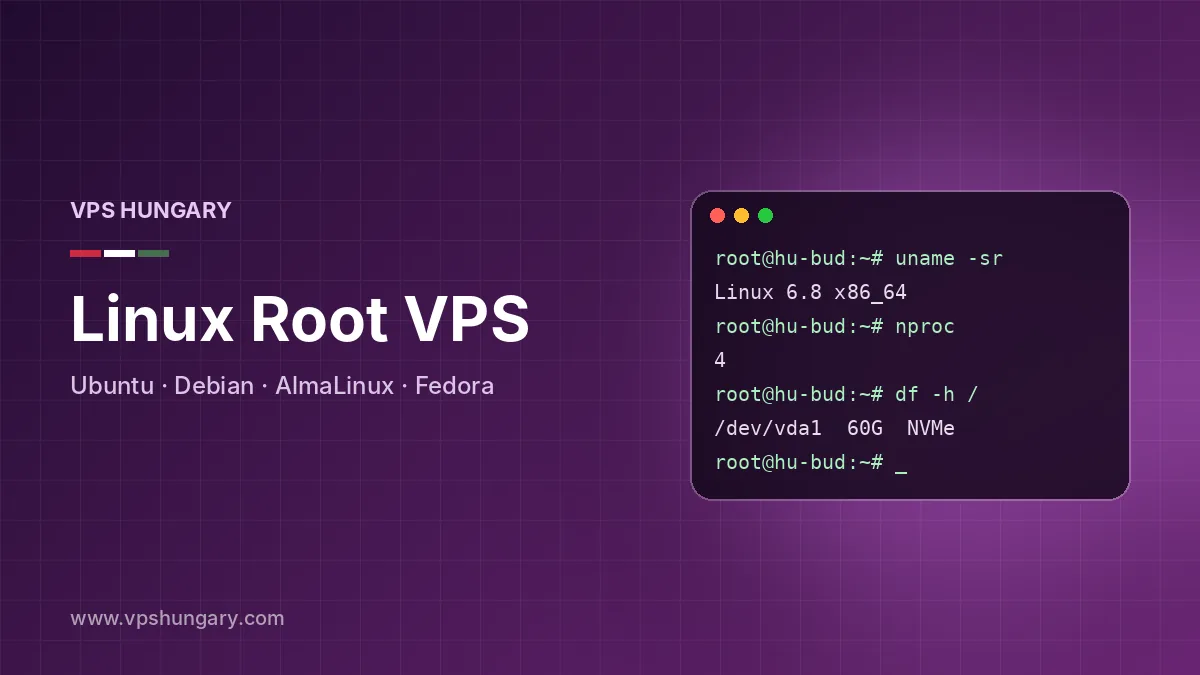
Choosing a Linux Distribution for Your Server
Every Linux VPS plan, from VPH1 to VPH8, can be deployed with a range of distributions. The right choice depends less on raw performance, which is similar across them, and more on support lifetime, package availability and what you already know.
Ubuntu
Ubuntu LTS releases receive five years of standard security updates, have the largest pool of tutorials and are the default target for many open-source projects, Docker images and deployment scripts. If you are unsure, Ubuntu is a safe starting point, especially for web applications, Node.js and Python projects.
Debian
Debian is the conservative, minimal choice. Its stable branch changes slowly, uses very little memory out of the box and is well suited to long-running servers you want to touch as rarely as possible: mail servers, DNS, VPN gateways and small web hosts. It is a particularly good fit for the 2 GB of RAM on VPH1.
RHEL family: CentOS-style and AlmaLinux
AlmaLinux and other RHEL-compatible systems follow the Red Hat Enterprise Linux ecosystem, with long support cycles and the dnf package manager. They are the natural home for cPanel/WHM, DirectAdmin and many commercial applications certified for RHEL. If you have used CentOS before, AlmaLinux will feel familiar, and migration tools exist for older installations.
Fedora
Fedora ships recent kernels, compilers and libraries, with a new release roughly every six months. It suits developers who want the latest toolchains or want to test software against what will later land in RHEL. Its short support window makes it less ideal for set-and-forget production hosts.
Quick guide
- General web projects and containers: Ubuntu LTS.
- Minimal, stable, low-memory servers: Debian.
- cPanel, DirectAdmin and enterprise software: AlmaLinux or another RHEL-family release.
- Cutting-edge development tooling: Fedora.
You can reinstall with a different distribution later by opening a ticket, and reinstall requests are handled on priority. Remember that a reinstall wipes the disk, so back up first. If you need a Windows desktop instead, see our Windows VPS Hungary page.
Root SSH Access and Basic Server Hardening
After provisioning, normally within one to six hours, your client area shows the server IP and root password. Connect from any terminal with ssh root@your-ip, or use PuTTY or Windows Terminal on a Windows workstation. From that moment you have unrestricted control of the operating system: install packages, edit system files, load kernel modules supported by KVM, and run services on any port.
That freedom comes with responsibility. The service is unmanaged by default, so securing the instance is up to you. A new server on a public IP will receive SSH login attempts quickly, so complete these steps on day one.
Essential first steps
- Update everything. Run apt update and apt upgrade on Debian or Ubuntu, or dnf upgrade on AlmaLinux and Fedora, then enable automatic security updates.
- Create a regular user with sudo rights and use it for daily work.
- Switch to SSH keys. Generate a key pair locally, copy the public key with ssh-copy-id, confirm you can log in, then set PasswordAuthentication to no.
- Disable direct root login by setting PermitRootLogin to no or prohibit-password in sshd_config.
- Change the SSH port if you want quieter logs. It is not a security control on its own but filters out most automated scans.
Firewall and intrusion protection
Our network already applies an internal firewall and basic DDoS and intrusion protection, but you should still filter traffic on the instance. Use ufw on Ubuntu and Debian or firewalld on RHEL-family systems, allow only the ports you need, and add Fail2ban to block addresses that repeatedly fail authentication.
Ongoing habits
- Remove packages and services you do not use.
- Check logs with journalctl and review who has shell access.
- Keep off-server backups of configuration and data, or order our paid backup add-on.
If a misconfigured firewall rule locks you out, open a ticket through the support desk. Hard reboots and reinstalls are handled on priority around the clock. Prefer not to manage security yourself? Paid management is available.
Adding a Hosting Control Panel to Your Linux VM
Plenty of administrators run their servers entirely from the command line, but a control panel makes it much easier to manage many websites, mailboxes and databases, or to hand day-to-day tasks to clients. Several panels are available as add-ons, and you can also install any panel yourself thanks to root access. Panel licences are not free; where a panel is commercial, the licence is a paid add-on or something you buy directly.
Commercial panels
- cPanel/WHM is the most widely recognised panel for shared and reseller hosting. It runs on RHEL-family systems such as AlmaLinux and is resource-hungry, so VPH3 or above is a sensible minimum.
- Plesk Obsidian supports both Ubuntu/Debian and RHEL-family systems, has a modern interface and strong WordPress and Docker integration.
- DirectAdmin is lightweight, fast and inexpensive, which makes it popular on smaller instances, including VPH2.
Lightweight and free-to-use panels
- Virtualmin builds on Webmin to manage Apache or Nginx virtual hosts, mail, DNS and databases. It suits users comfortable with Linux concepts who want a graphical layer.
- VestaCP offers a simple web, mail, DNS and database panel with a small footprint. Keep it updated and restrict access to its port.
- ISPmanager Lite covers websites, mail, databases and DNS with a clean interface and modest resource needs.
Which panel fits which plan?
A panel adds its own background services, from mail filtering to statistics, so leave headroom. On VPH1 with 2 GB RAM, a light panel such as Virtualmin, VestaCP or ISPmanager Lite works, or you may skip the panel entirely. VPH2 handles DirectAdmin or Plesk for a modest number of sites. For cPanel/WHM, or for many accounts, choose VPH3, VPH4 or larger.
Install on a clean system
Most panels expect a freshly installed, minimal operating system and will refuse to install, or conflict, on a server already running web or mail software. Decide on the panel before you build the stack, and request a reinstall if needed. You can add a panel when ordering in the client area or by ticket later.
LAMP, LEMP, Docker, Node.js and Database Stacks
With root access, the software stack is entirely your choice. These are the setups customers deploy most often on a Budapest Linux VPS, along with notes on sizing.
LAMP and LEMP
The classic LAMP stack combines Linux, Apache, MySQL or MariaDB and PHP. It remains the easiest path for WordPress, Joomla, Drupal and most PHP applications, and .htaccess support keeps older software working without changes. LEMP swaps Apache for Nginx, which serves static files efficiently and handles many concurrent connections with less memory. Pairing Nginx with PHP-FPM and a tuned MariaDB is an effective way to get fast page loads from a VPH1 or VPH2 instance. NVMe storage helps databases in particular, as queries that miss the cache are read from disk far faster than on SATA drives.
Docker and containers
Because each VPS is a full KVM virtual machine with its own kernel, Docker and Docker Compose run normally, and you can use Podman on RHEL-family systems. Containers make it simple to run several isolated services side by side, for example a reverse proxy, an application and its database, and to reproduce the same environment on development and production instances. Allow at least 4 GB of RAM, which means VPH2 or higher, if you plan to run several containers at once.
Node.js, Python, Go and others
Install runtimes from distribution repositories, official vendor repositories or version managers such as nvm and pyenv. Run applications under systemd or PM2 so they restart after a reboot, and put Nginx in front as a reverse proxy with free certificates from Let’s Encrypt.
Databases
- MariaDB and MySQL for traditional web applications.
- PostgreSQL for complex queries, geospatial data and strict consistency.
- Redis for caching, sessions and queues.
- MongoDB and other document stores where your application expects them.
Database performance depends heavily on memory, so give the buffer pool or shared buffers a generous share of RAM and consider a higher plan as data grows. ECC memory on every host protects long-running database processes against silent memory errors.
Need a panel instead of building the stack by hand? See the control panel section above, or compare all plans on the VPS Hungary page.
VPH1: The $22 Entry Point for Linux Hosting
VPH1 is our smallest plan and is available with Linux only. For $22 per month it provides 2 vCPU, 2 GB of ECC RAM, 30 GB of NVMe storage in RAID-10, unmetered traffic and a 1 Gbps shared port, plus full root access and a genuine Hungarian IPv4 address. It is the most affordable way to get a real KVM machine in Budapest.
Why VPH1 is Linux only
Windows Server needs far more memory just for itself, so the Windows option starts at VPH2. A minimal Linux install, by contrast, often idles below 200 MB of RAM, which leaves most of the 2 GB for your applications.
What fits comfortably on VPH1
- A personal WireGuard or OpenVPN server, or a private proxy.
- One or a few WordPress or static sites on a tuned LEMP stack.
- A small API, bot, or Node.js or Python service.
- Monitoring tools, a DNS server or a lightweight Git server.
- A small game server for a few friends, for titles with modest memory needs.
- A staging copy of a production application for testing.
Getting the most from 2 GB
Choose a lean distribution such as Debian or a minimal Ubuntu image, and avoid installing services you do not need. Nginx generally uses less memory than Apache with many modules. Reduce the MariaDB buffer pool to suit the workload, and add a small swap file as a safety net rather than as working memory. If you want a panel, pick a light one such as Virtualmin, VestaCP or ISPmanager Lite rather than cPanel/WHM.
Signs you have outgrown it
Watch free memory and load averages with htop or similar tools. Frequent swapping, processes killed by the out-of-memory killer, slow database queries or a disk that is filling up are signs that a higher plan will serve you better. VPH2 doubles memory to 4 GB and adds 20 GB of storage for $33 per month, while VPH3 moves to 4 vCPU and 6 GB.
Like every plan, VPH1 is billed monthly with no long contract and no hidden charges. You can pay by PayPal or with Bitcoin and other cryptocurrencies, and order directly from the VPH1 order page.
Scaling Up from One Linux Plan to the Next
Growth is a good problem to have, and the plan range from VPH1 to VPH8 gives plenty of room. Moving up means more vCPU, more ECC RAM and more NVMe storage, up to 16 vCPU, 16 GB RAM and 200 GB on VPH8, always with unmetered traffic.
- 1
How the move works
Upgrades are done by moving to a new virtual machine rather than resizing the existing one. The usual process is:
- Order the larger plan in the client area and select your preferred distribution.
- Once provisioned, typically within one to six hours, prepare the new server with the same packages and configuration.
- Take a backup of your data on the old server and transfer it. Migration is run by you, or by us if you have ordered paid management.
- Test the new instance, then switch DNS records to the new IP address.
- Cancel the old VPS before it renews so you are not billed twice.
- 2
Linux tools that make migration easy
- rsync over SSH copies web roots, home directories and configuration efficiently and can be re-run to sync last-minute changes.
- mysqldump, mariadb-dump or pg_dump export databases cleanly for import on the new host.
- Docker Compose files and volumes make containerised stacks portable: copy the project directory and volumes, then start the services again.
- Configuration management such as Ansible lets you rebuild an identical server from a playbook in minutes.
- Control panels including cPanel/WHM, Plesk and DirectAdmin have built-in account transfer or backup and restore features.
- 3
Reduce downtime
Lower DNS TTL values a day before the switch, perform a final rsync and database dump just before cutover, and keep the old instance running until traffic has fully moved. Since billing is monthly, the overlap usually costs only a few days of a plan.
- 4
Beyond VPH8
If you need more than a virtual machine can offer, consider bare metal. Our dedicated servers in Hungary run in the same Budapest datacenter, include 5 TB of monthly traffic, and allow RAM, storage and traffic to be added to most configurations.